
Easy Photo Editing: Image Studio
 Admin
Admin
Updated :
Visual elements or images are crucial for content creators, bloggers, marketers, and designers in the digital world. Just as an engaging image can bring any ordinary article or social media post to life, a lack of quality images often fails to capture readers’ attention even with the best writing. To provide a permanent and modern solution to this problem, Image Studio has arrived. Recently, this tool has created quite a stir in the world of design and image editing. In this review, we will discuss in detail why you should use Image Studio, its functionality, its core features, and how much it can accelerate your workflow.
1. Background
In today’s competitive online platforms, thousands of blog posts, social media updates, and advertising campaigns are run daily. Amidst this crowd, compelling graphics are indispensable to make your content stand out. Traditionally, creating or editing professional-quality images requires heavy software like Photoshop or Illustrator, which is time-consuming to learn and use. Furthermore, these software options are quite complex for non-designers.
Image Studio has entered the market as a simple and effective solution to this problem. It is specifically designed to integrate seamlessly with websites and content management systems, allowing users to create and edit wonderful images without any prior graphic design experience. Let’s look at its core features.
2. Key Features and Functionality
Image Studio comes with a bundle of modern features that reduce users’ daily workloads. The main features are discussed below:
-
AI-Powered Image Generation: The most attractive aspect of this tool is its artificial intelligence technology. You simply need to write a text prompt or description of the image you want. For example, if you write “A futuristic city in cyberpunk style at sunset,” the tool will instantly generate a unique image tailored to your preference. It completely frees you from the hassle of searching for stock images.
-
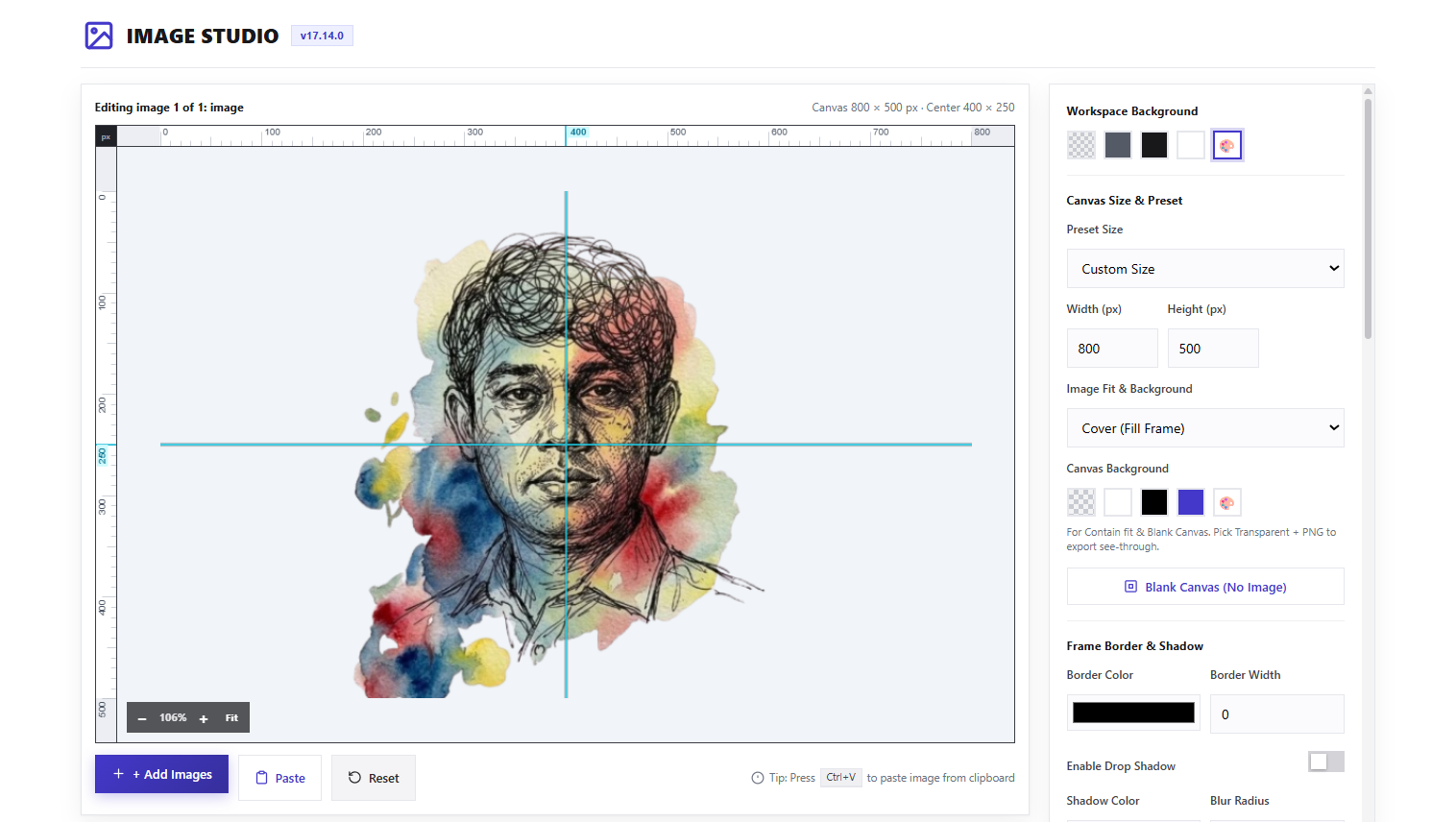
User-Friendly Interface: The dashboard or user interface of the tool is extremely clean and organized. New users can easily understand where each tool is located upon opening it for the first time. Due to the drag-and-drop feature, any element of an image can be controlled effortlessly.
-
Live Editing Tools: Beyond just generating images, it includes various filters, cropping tools, and brightness and contrast controls for image editing. You can modify the color tone of a generated image or remove its background and add a preferred background instead.
-
Seamless Integration: One of the biggest advantages of this tool is its flawless coordination with various content management systems. Especially in WordPress or other popular publishing platforms, images can be created and inserted directly while writing. This eliminates the tedious process of repeatedly downloading and uploading files.
3. Pros & Cons
Like any software or tool, Image Studio has its positive and negative aspects.
Pros:
-
Time-saving: Eliminates the hassle of searching for images on stock websites or spending long hours editing.
-
Budget-friendly: Saves the cost of hiring professional designers.
-
High Resolution: Generated images are exceptionally sharp and high quality, making them suitable for both web and print use.
-
Regular Updates: Developers frequently provide updates with new features and security patches.
Cons:
-
Internet Connection Essential: Since its core features are cloud- and AI-based, a good internet connection is required for use.
-
Complex Prompt Limitations: Sometimes, achieving very complex or specific scenes may require modifying prompts multiple times.
4. Who Is It Suitable For?
Image Studio is not meant for just one specific profession; rather, it is a versatile tool. It is particularly useful for:
-
Bloggers and Content Writers: Those who regularly write articles and look for engaging feature images.
-
Digital Marketers: Those who want to quickly create creative designs for social media campaigns or Facebook-Instagram ads.
-
Small Entrepreneurs: Those who want to design product images or banners for their e-commerce websites without any extra cost.
5. Final Verdict
In short, Image Studio has emerged as a game-changer in the current digital market. It not only increases your workflow speed but also gives a new dimension to your creativity. If you want to make your content creation process simple, modern, and engaging, keeping this tool in your collection is essential. Its functionality and user-friendly environment place it far ahead of other tools available in the market. Thus, investing your time in Image Studio will undoubtedly prove to be a brilliant decision.